Make your own
Ninety-eight came from somewhere else. The last one comes from you.
Every charm in Charmling is a real object someone somewhere hangs up for luck. The ninety-ninth is whatever you hang up. Point it at a photograph and it becomes a charm on the same cord, swinging under the same menu bar.
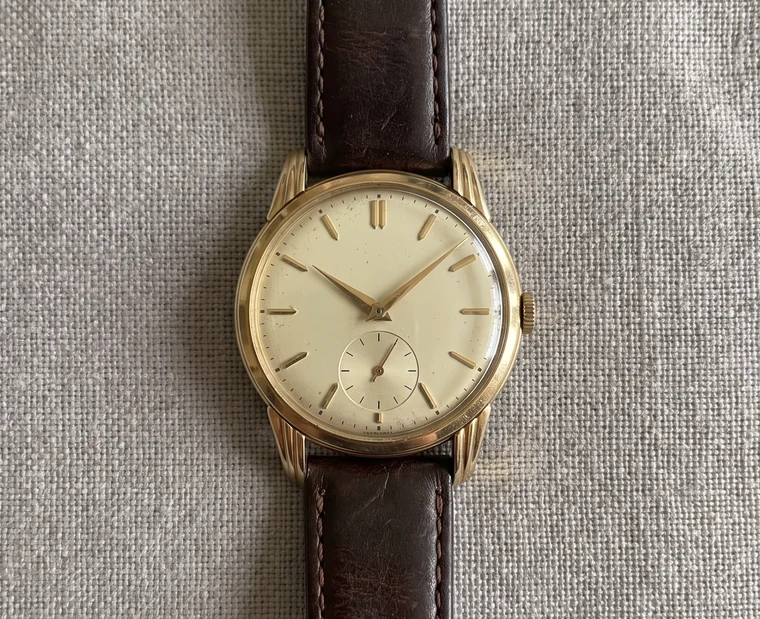 the photograph
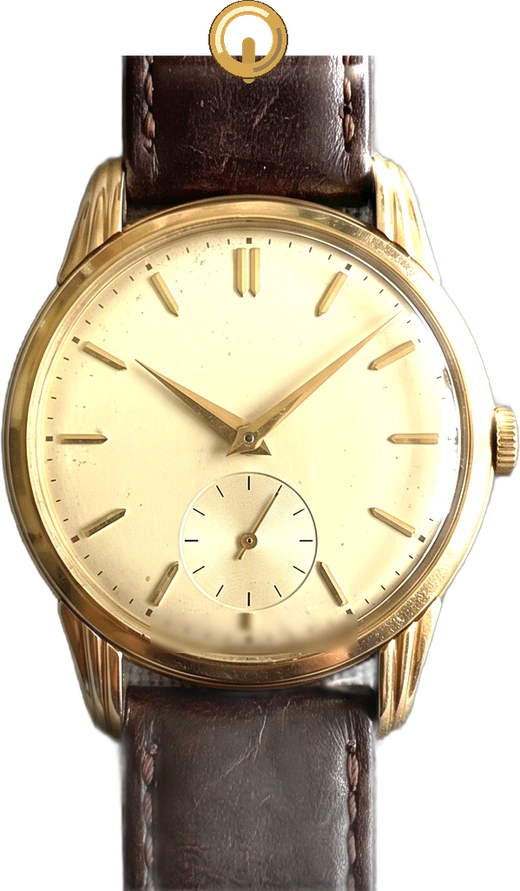 the charm
Two ways to keep something
They are genuinely different things, and which one you want depends on what the picture is of. You can switch between them while you are setting it up and watch it change.
A locket
The picture behind glass, in a gold frame, the way a locket has held a photograph for two hundred years. Best for faces, and for pictures where the room matters as much as the thing in it.
A charm
The thing itself, cut off its background and forged: a bevelled edge, a glaze, a light that moves across it, a gold ring at the top. Best for objects. It looks like it came out of the same workshop as the other ninety-eight.
What to put in it
The dog, obviously. The cat. The person you married. But the ones worth thinking about for a second are the objects:
- Your dad's watch. The one in the drawer you have not worn and will not sell.
- The first thing you ever sold. A screenshot of the invoice works as well as the product does.
- A pair of running shoes that got you round something you did not think you could finish.
- The keys to a flat you do not live in any more.
- A ticket stub, a pressed flower, a chess piece, a bad drawing your kid did on a napkin at a restaurant.
A charm has never really been about luck. It is about carrying something small that means something large, where you can see it. That is what the cornicello is, and the daruma, and the horse nailed over a door in Tamil Nadu. Hanging one under your menu bar is the same instinct as hanging one from a rear-view mirror. This is the version where you choose the object.
What the picture goes through
Nothing leaves the Mac. This is worth being precise about, because it is the whole reason the feature is built the way it is.
Your Mac finds the subject in the photograph and lifts it off its background using the same system feature as long-pressing a photo in Photos, which runs entirely on the machine. The charm is then drawn, not generated: the shape of the cut-out is turned into a surface, that surface is lit, and the result is your picture with an edge and a glaze on it. There is no model, no account, no server, and no request. The finished charm is a single file in ~/Library/Application Support/Charmling, and removing it is one click.
Two honest limits. Subject lifting needs macOS 14 or later; on macOS 13 the locket still works, the forged charm does not. And a charm is a glazed relief, not a small sculpture. It will make a beautiful enamelled medallion of your dog. It will not make a tiny ceramic dog you can walk around.
What makes a good one
- One thing, filling the frame. A watch on a table, not a table with a watch on it.
- A plain-ish background. Not required, but the cut-out is cleaner when the subject is not standing in front of a bookshelf.
- Even light. Hard shadows get baked in, and then the charm has two light sources arguing with each other. A window and a wall is plenty.
- Shoot it straight on. Charms hang flat. Something photographed at a dramatic angle reads as a mistake rather than a charm.
Already made something you like elsewhere? Drop the picture in. If it has a transparent background it goes straight through.
Where to find it
Click the charm in your menu bar, then Choose Charm, then Your Photo or a Charm of It. Pick a picture, choose Locket or Charm, drag to move it and scroll to zoom, and it hangs on the cord when you are happy. You can change it as often as you like, and change your mind about which of the two it should be.