


A Mac app that hangs in your menu bar · ninety-nine lucky charms · a private memory of your workday · thirteen quiet tools
hanging right there.
Charmling is a Mac app that hangs a lucky charm under your menu bar on a stretchy cord. Pull it and it swings, and so does a friend's on the same wifi. Ninety-nine to collect, a dragon that hatches, a bonsai that flowers. It also remembers your workday, privately.
macOS 13+, Apple silicon (Intel built but untested) · the AI is a bonus that needs Apple Intelligence and ships off. What that covers →
↝ grab the charm and pull

99charms
move through them
Every charm in the app, on its own cord. Tap one to read its story.
Eight shelves
Each one came from somewhere. Pick the one that's yours.
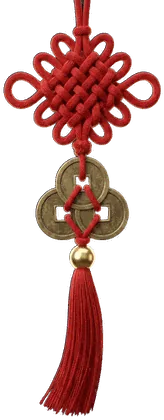
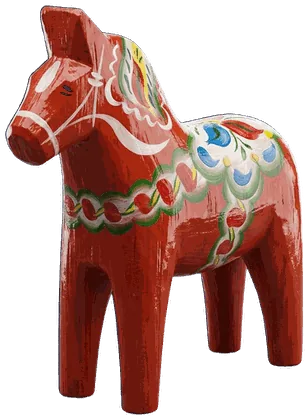
Every charm is original 3D art with its own story and its own right-click ritual. Eighteen of them move in their own way too: bells swing, the Daruma wobbles, the dreamcatcher turns in the breeze, and Ace walks. One is a locket, for whoever you put in it. Each was modelled on the real thing: the seven chillies and the lemon, the painted eyes, the woven web. Click one to read its story here and watch it hang in the playground above.
 Every charm is original 3D art with its own story and its own right-click ritual. Eighteen of them move in their own way too: bells swing, the Daruma wobbles, the dreamcatcher turns in the breeze, and Ace walks. One is a locket, for whoever you put in it. Each was modelled on the real thing: the seven chillies and the lemon, the painted eyes, the woven web. Click one to read its story here and watch it hang in the playground above.
…or any emoji, or something of your own.
Make it yours
Or hang the thing you actually want to see.
Ninety-eight of them came from somewhere. The ninety-ninth is yours.
Drop in a picture — a locket for a face, a charm for a thing.
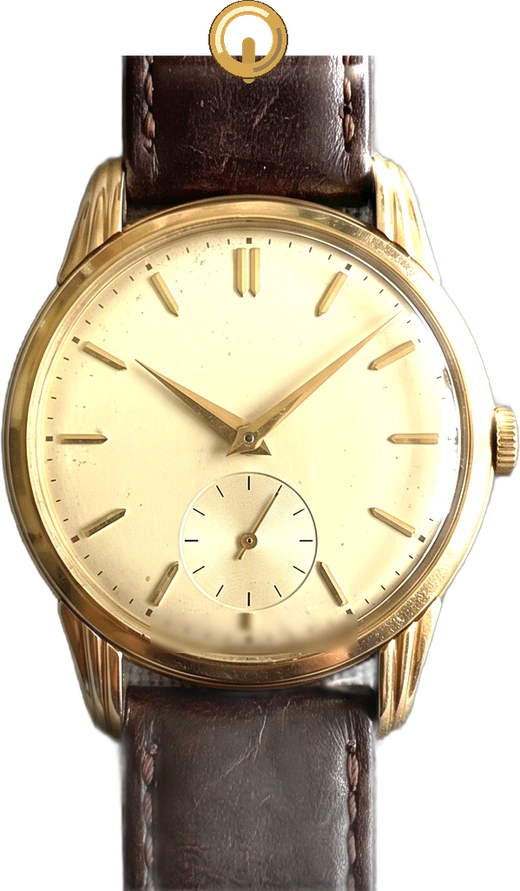
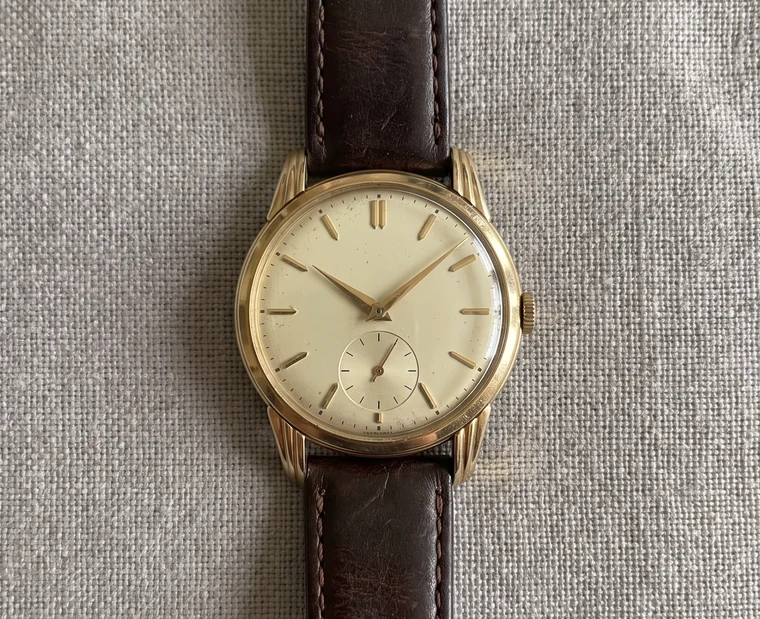
Your daughter. Your dog, who is very much a good boy. Your dad's watch, the one in the drawer you have not worn and will not sell. The keys to a flat you do not live in any more. A charm was never really about luck; it is about carrying something small that means something large, where you can see it.


Not everything wants a frame. How your Mac makes it →
Two more of them are alive
A dragon that hatches. A bonsai that flowers. Both of them grow.
Growth isn't a bar filling up — each stage is a different tree, drawn from scratch. Six carved stages from seed to blossom, five from egg to dragon, and every one of them is its own piece of art. They want you about twice a day, in the quietest way an app can: the charm on your screen droops, and the colour goes out of it. They never die, never run away and never scold you. Miss a week and growth simply pauses — neglect costs time, not the creature. The thing below is the real one, running in your browser.
Seed
just planted · stage 1 of 6
Wander mode
Snip the cord, and Ace walks.
Ace hangs from your menu bar like any charm — until you snip the cord. Then he drops to the desktop and patrols it with a true 8-frame walk: wandering, pausing, turning at the screen edge, tumbling when thrown. Tie the cord back and the elastic reels him home.
Try it → snip the cord on the little Mac.


The bonus underneath · beta
It doesn't just answer. It does.
⌘-click the charm and a small panel drops down. The AI is free and runs on your Mac — Apple's own on-device model. No account, no API key, no cloud. It ships switched off, and it is a bonus in beta — buy Charmling for the charm.
carried by the Baby Dino — small today, bigger every day
Day Memory Bonus, in beta
Your Mac finally remembers your day — privately, and it forgets on purpose. Then just ask.
Professionals: a paste-ready standup, an honest timesheet. Students: Quiz Me, a sprint quiz, a study log.
It reads the text your apps publish for screen readers rather than photographing your screen — exact, and for most apps no Screen Recording permission at all.
And a trail, not a transcript. Screen text still goes at 48 hours. What lasts is where you have been: the app, the window's name, the link, when, and how long. So “what was that camera site last month?” comes back with the page and the date, and “what did it say?” does not. Encrypted on this Mac. Never a keystroke. How the memory works →
Drafts written from what was actually on your screen — it says "nothing found" rather than filling a gap. Needs Apple Intelligence.
carried by the Kathputli — a puppet moves only when you pull
Agent Actions
"Remind me to call Sam tomorrow 9am" becomes a real Reminder. Every action asks first — you're always the final word.
carried by the Nodding Doll — tip it, it rights itself
Looks out for you
Meeting Radar preps you 5 minutes before events. Focus Guardian notices you drifting mid-focus. Sprint Quiz tests exactly what you just studied.
carried by the Lucky Pig — it keeps what you toss in
The toolbelt
Screenshots you fling straight into the basket. A woven file basket hanging off the charm. A focus timer whose cord winds shorter as the minutes go by.
carried by the Daruma — its painted eye stays open
Never "away" again
Stay Active keeps you green on Teams and Slack while you read something on paper, think, or take a call. Stay Awake holds your Mac open through a long render or install, fireflies drifting around the charm the whole time. One click on, one click off.
carried by the Hamster — small paws, small gifts
Small kindnesses
Copy a long article — the charm offers to summarise it. Copy something in another language and it offers to translate. Stretch reminders every 45 minutes. One ⌘-click each.
The honest fine print — all optional, all off by default, and early
All of this is optional. Every AI feature ships switched off, and Charmling is a complete app without any of them — the charm, the physics, the rituals, Wander Mode, the focus timer and the basket all work on their own and never read your screen. Turn the AI on if you want it, turn it off whenever, and it stops the same second.
And it's early. A model small enough to run on your own Mac is a model with limits: it writes a good first draft and it will sometimes miss the point of an hour. Treat every recap, standup and timesheet as a draft to read before you send it. It's the part of Charmling I'm working on hardest, and it gets better with every release — the on-device models are improving quickly too, and Charmling picks that up for free. Everything here needs Apple Intelligence: Apple silicon, macOS 26+.
For students · reads it on your Mac
Drop your notes on the charm. It quizzes you back.
Revising? Drag your lecture PDF onto the charm hanging under your menu bar. It lands in the little basket, Charmling reads it on your Mac, and asks you questions about it — one at a time, answers hidden until you pick. There is nothing to switch on.
Drag one onto the basket

the basket takes anything — it only reads what you ask it to
It reads PDFs, Word documents, PowerPoint decks, Excel workbooks, EPUBs, scans and phone photos of a page. And once anything is in the basket, 🧺 Do Something With Them appears in the menu: zip them together, convert pictures to JPEG, PNG or HEIC, shrink one to fit an email at 5, 10 or 25 MB, or move the lot somewhere. All of it on your Mac, all of it writing new files beside the originals — the file you dropped in is never touched. See exactly how it works in the guide → · The study side →
Live scores · beta · the one part that needs the internet
Your match turns, the cord jolts. Nothing about you moves.
A small brass tag drops below the charm you already have, with the score on it — or, if you would rather, a split-flap departure board takes the cord instead. A wicket falls, or a car takes P1, and the cord jolts: a bell sounds once and the board flips to the moment. Twelve sports, cricket first. Scores have to come from somewhere, so this is the one part of Charmling that reaches the internet: it asks one fixed address for the same public scoreboard everyone gets, and tells it nothing about you.
- Switch it on. Control-click the charm and tick 🔔 Live Scores (needs internet). It is off out of the box, and it tells you exactly what it will fetch before it fetches anything.
- Choose your sports. Sports to follow lists all twelve, cricket first. Then open the board and tap a match to star the teams in it — following is a tap, not a form.
- Say where it shows. Where the score shows is two lines: on the charm you are wearing, or on a scoreboard of its own. Switch back and your charm comes straight back — the board never costs you the one you chose. How both work →
Off until you switch it on, and the request carries no teams, no account, no identifier — nothing that could say which Mac sent it. On two screens it follows you: the score hangs on whichever display your menu bar is on, or you nail it to one monitor by name. Every sport, and exactly what it fetches →
What this is, honestly. Charmling doesn't own a sports feed. It reads the public scoreboards ESPN publishes for its own site, which makes this the one part of Charmling that can stop working without me touching it — it has already gone dark for a day, and it could again. That is why it is beta, why it is off until you ask for it, and why nothing else depends on it. It is included in the price, and if keeping it running ever costs money I will say so first. What it fetches, and what each sport shows →
Shared Cord · new · your network, and no further
Pull yours. Theirs swings.
Four words, read out loud to somebody on your network. They type them in, and your two charms hang from the same string.
Pull yours down and let go. A second later theirs swings, in their own menu bar, wherever they’re sitting. No notification. Nothing pops up. Their charm just moves. That’s the whole message, and it can’t carry any more than that — it is tugging somebody’s sleeve from another room, with no way to explain yourself afterwards.
You can also see, roughly, whether they’re at their desk. Not how long they’ve been away, not when they stopped. Just whether the charm is moving.

pull it down and let go

no notification. it just moves.
The cord reaches as far as your house. That is the definition, not a limit — it is a home object. You and whoever is in the next room, or two desks in one office.
It also means it can’t be pointed at somebody in another city. No manager can use this to check whether you’re at your desk, because there is no mechanism by which it could reach you.
The four words never leave your Mac — they become a key, and the Macs prove they know it without ever sending it. The door stays open ten minutes, so read them to the whole flat; after that they open nothing. If you can see someone, they can see you, always — that isn’t a setting. Every rule, and why →
No accounts, no analytics, and the AI runs on your Mac. You have read some version of that in every section above. Here is the part that is not a claim. The privacy page shows sixteen minutes of a real screen: five captures, and the file they became, straight from the actual redaction code. Every request the app can make is listed there too.
One price. No subscription.
No subscription — because there's no cloud to pay for.

- Day Memory — recaps, standups, timesheets
- Agent Actions — reminders & calendar
- Meeting Radar & Focus Guardian
- Sprint Quiz & Clipboard Sense
- Stay Active on Teams/Slack
- All 99 charms, any emoji, and your own photo
- The Garden — a bonsai and a dragon that grow
- Physics playground & rituals
- Wander Mode — Ace really walks
- Screenshots, basket, focus timer
- Free updates — no subscription, ever
India price — ₹499, applied automatically at checkout; nothing to type. It's billed in rupees, so there's no foreign-card fee and no conversion guesswork — ₹499 is the price, and Polar shows you the exact final amount before you pay. UPI works.
Regional price — $7.99, applied automatically at checkout; nothing to type. Charmling costs $14.99 in the US, the UK and the EU; it shouldn't cost the same everywhere.
Notarized by Apple · licence key in your inbox within a minute · 7-day no-questions refund, and EU buyers keep their statutory rights on top.
The honest list — what you're not getting
None of the screen-reading is on until you switch it on — and the same switch stops it that second. Charmling is a whole app without it.
- No endless trial. Seven free days are built in: the whole app, no card, no account. After that the charm sleeps until a licence wakes it. The seven-day refund sits on top of that week, not instead of it.
- Mac only. No Windows, no iPhone, no web version, and none planned soon.
- One Mac, and nothing syncs. Your charms, your Garden and your memory live on that machine and go nowhere else, not even to your other Mac. It is the same decision as "no cloud", seen from the inconvenient side. Changing machines is free: write to me and I'll move the licence.
- No AI without Apple Intelligence. On an Intel Mac, or an M-series Mac without it switched on, you get the charm, the physics, the 99 charms, the Garden, Wander Mode, the timer and the basket. You get none of Day Memory, recaps, standups, timesheets, quizzes or Meeting Radar. That is most of the price. Buy on that basis.
- macOS will show the recording indicator in your menu bar whenever Charmling does look at the screen as a picture. Most apps hand over their text instead, so you will see it less than you used to, but you will see it. The system can't be stopped from showing it, and you'd be right to distrust anything that hid it.
- What it writes is a draft. A model small enough to live on your Mac produces a solid first pass and will sometimes miss the point of an hour. Read a timesheet before you hand it to anyone.
- The redaction is careful, not perfect. No content filter is. That is why the log lives 48 hours, sits in one plain file you can read, and erases in one click. All of it, the last hour, or everything from one app.
- It's one person. Support is as fast as one person can be, which is usually the same day and occasionally not. There is no queue, no tier and no bot. Found a security problem? Put "security" in the subject and it jumps the queue — the privacy page says what to expect.
- If it's ever discontinued, a build that needs no licence check gets published, so what you bought keeps working. That's in the licence terms, not just here.
Before you buy — what it needs
Who you're buying from
Questions, answered
Seven things people ask before they buy.
Answers open, because a wall of closed boxes is a way of not answering.
Is there a subscription?
No. One payment, and every update after it is included. There is nothing to subscribe to: the AI is Apple’s own model, already on your Mac, so there are no servers and no monthly bills to pass on to you. $14.99₹499$7.99, once.
Does anything from my screen leave my Mac?
No. What it reads is turned into text on your Mac, and that log erases itself after 48 hours. The app makes five kinds of internet request in total: an update check, activating your licence and re‑checking it weekly, downloading an update when you ask, and the public scoreboard if you switch Live Scores on. None of them carry anything from your screen. The complete accounting →
Do I have to use the AI?
No, and it is off the day you install it. The charm, its physics, Wander Mode, the timer and the basket never read your screen or ask a model anything. One toggle silences every capture at once. Be a little sceptical of what it writes, too — a model small enough to live on your Mac gives you a good first draft, not a finished one.
Could it capture my passwords?
It is built so it doesn’t. Password managers are skipped before a screenshot is taken, including one open as a web page. Anything shaped like a secret — a token, a key, a card number, a masked field — is deleted before a word is written down, in nine languages. No filter is perfect, which is why the log lives 48 hours in one plain file you can open and read, and one click erases it. Watch it run on a real screen →
Can I use it on a work Mac?
Technically yes, and check first. Stay Active keeps you showing as available in Teams and Slack, and some employers treat that as misconduct — Wells Fargo dismissed more than a dozen people over simulated activity. It is off until you switch it on, and it is the one I would think hardest about on a company machine. Your IT department can also see that you granted a permission, though never what was done with it.
What does it need to run?
The charm, the physics, Wander Mode, the timer and the basket need macOS 13 or later. The AI features need Apple Intelligence, which means an Apple silicon Mac on macOS 26 with it switched on. It asks for four permissions, all optional, all explained in plain language before macOS asks — decline every one and the charm still hangs there and works. Which permission does what →
What if it’s not for me?
The first seven days are free and built in — the whole app, no card, no account. If you buy and change your mind anyway, reply to your receipt or write to support@charmling.app within seven days of buying and it is refunded. No form, no questions.
The longer answers — the diary, the memory file and backups, every permission one at a time, exactly what Live Scores fetches, reinstalling and lost licence keys — are in the guide, on the privacy page and on the download page.